
Top Productivity Tools for Students

Top productivity tools for students can either be your best friends or your biggest distractions, depending on how you choose and use them. After working with thousands of college students over the past decade, I’ve watched brilliant minds get completely overwhelmed by the sheer number of apps, platforms, and systems promising to revolutionize their academic lives. The truth is, the best productivity tools aren’t necessarily the fanciest ones with the most features; they’re the ones you’ll actually use consistently when you’re stressed, tired, and juggling fifteen different deadlines.
Let me tell you about Zoe, a junior at Boston University who came to my office looking like she’d been wrestling with her laptop all night. She had downloaded twelve different productivity apps in the past month, created elaborate systems in each one, and spent more time managing her productivity tools than actually being productive. Her phone storage was maxed out, her computer was running slow, and she couldn’t remember which app contained which important information.
Zoe’s problem wasn’t a lack of organization or good intentions. She’d fallen into what I call “productivity tool paralysis,” where the search for the perfect system becomes more consuming than the work itself. She was spending hours watching YouTube videos about productivity setups, reading blog posts about the latest apps, and constantly tweaking her systems instead of actually using them to get things done.
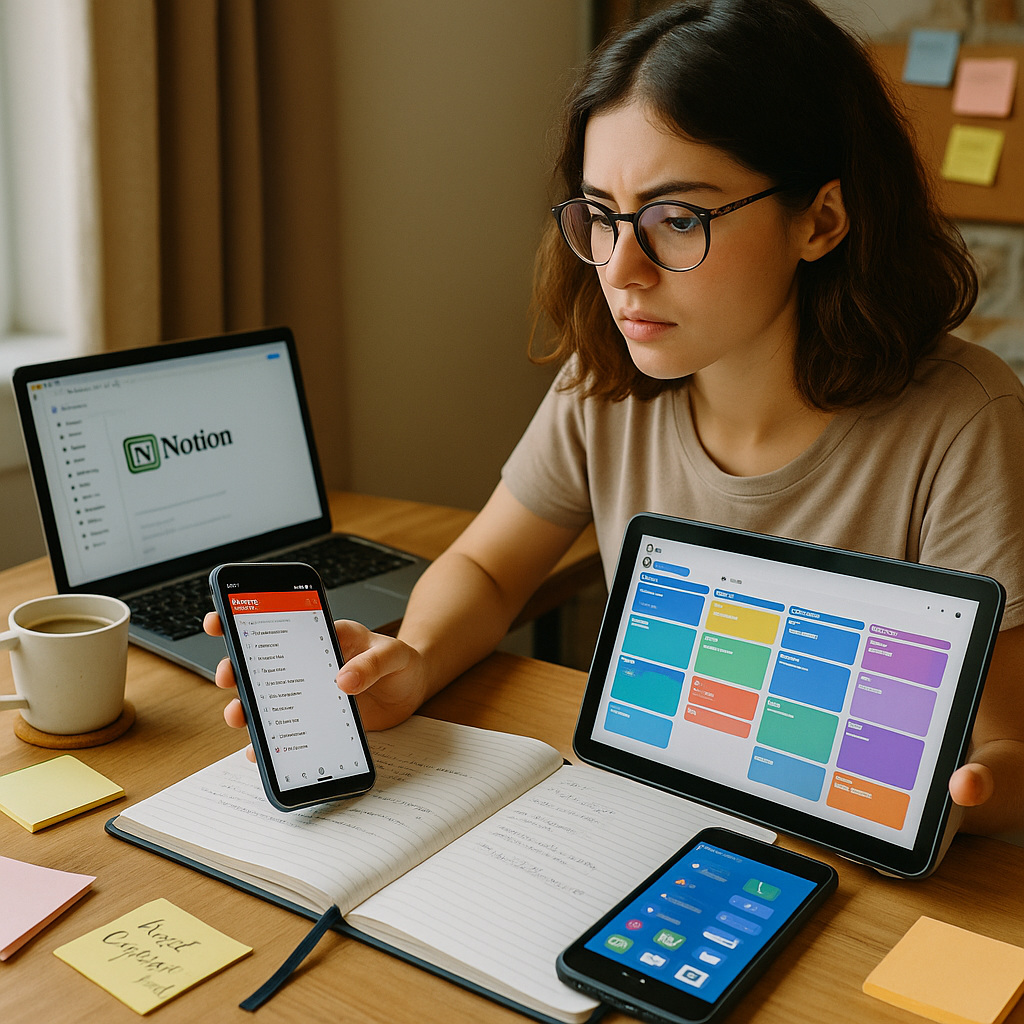
Sound familiar? You’re definitely not alone if you’ve ever found yourself down a rabbit hole of productivity content, convinced that the right combination of apps will finally make you the organized, efficient student you want to be. The reality is that most productivity tools fail not because they’re poorly designed, but because students expect them to solve problems that aren’t really about technology.
The students who truly benefit from top productivity tools understand a crucial principle: tools amplify existing good habits; they don’t create them from scratch. If you don’t have basic systems for managing your time and tasks, no app in the world will magically make you organized. But if you have solid fundamentals, the right tools can make your existing processes faster, more reliable, and less mentally draining.
Essential Digital Organization: Core Top Productivity Tools Every Student Needs
Before we dive into specific apps and platforms, let’s establish what actually matters when choosing productivity tools for your college life. You need systems that handle four basic functions: capturing information, organizing tasks, managing time, and storing files. Everything else is nice to have, but these four areas are non-negotiable for academic success.
Note Taking and Information Capture: Your brain isn’t designed to remember everything, so you need reliable external storage for all the information college throws at you. The best note-taking apps let you quickly capture thoughts, organize them logically, and find them easily later. Notion has become incredibly popular among students because it combines note-taking, task management, and database functionality in one platform.

But here’s the thing about Notion: it’s powerful, but can become overwhelming if you try to use every feature. Zoe spent three weeks building an elaborate Notion workspace with templates, databases, and automated workflows that looked amazing but took forever to maintain. Sometimes simpler tools like Apple Notes, Google Keep, or even good old-fashioned notebooks work better for students who just need to capture and review information quickly.
Task and Project Management: College involves managing multiple courses, each with their own assignments, deadlines, and requirements. Top productivity tools in this category help you track what needs to be done, when it’s due, and what progress you’ve made. Todoist and TickTick are popular choices because they handle both simple task lists and complex project management without being overwhelming.
The key is finding a system that matches your natural thinking patterns. Some students work better with linear lists, others prefer visual boards like Trello or Asana. Some need elaborate categorization systems, others just want to brain dump everything and sort it out later. The best tool is the one that feels intuitive to use when you’re stressed and running on four hours of sleep.
Cloud Storage and File Management: Top Productivity Tools for students
Let’s talk about something unsexy but absolutely critical; file organization. Nothing derails productivity faster than spending twenty minutes hunting for a document you know you saved somewhere, but can’t remember where. Cloud storage isn’t just about having backup copies of your work; it’s about creating a reliable system for storing, organizing, and accessing your academic materials from anywhere.
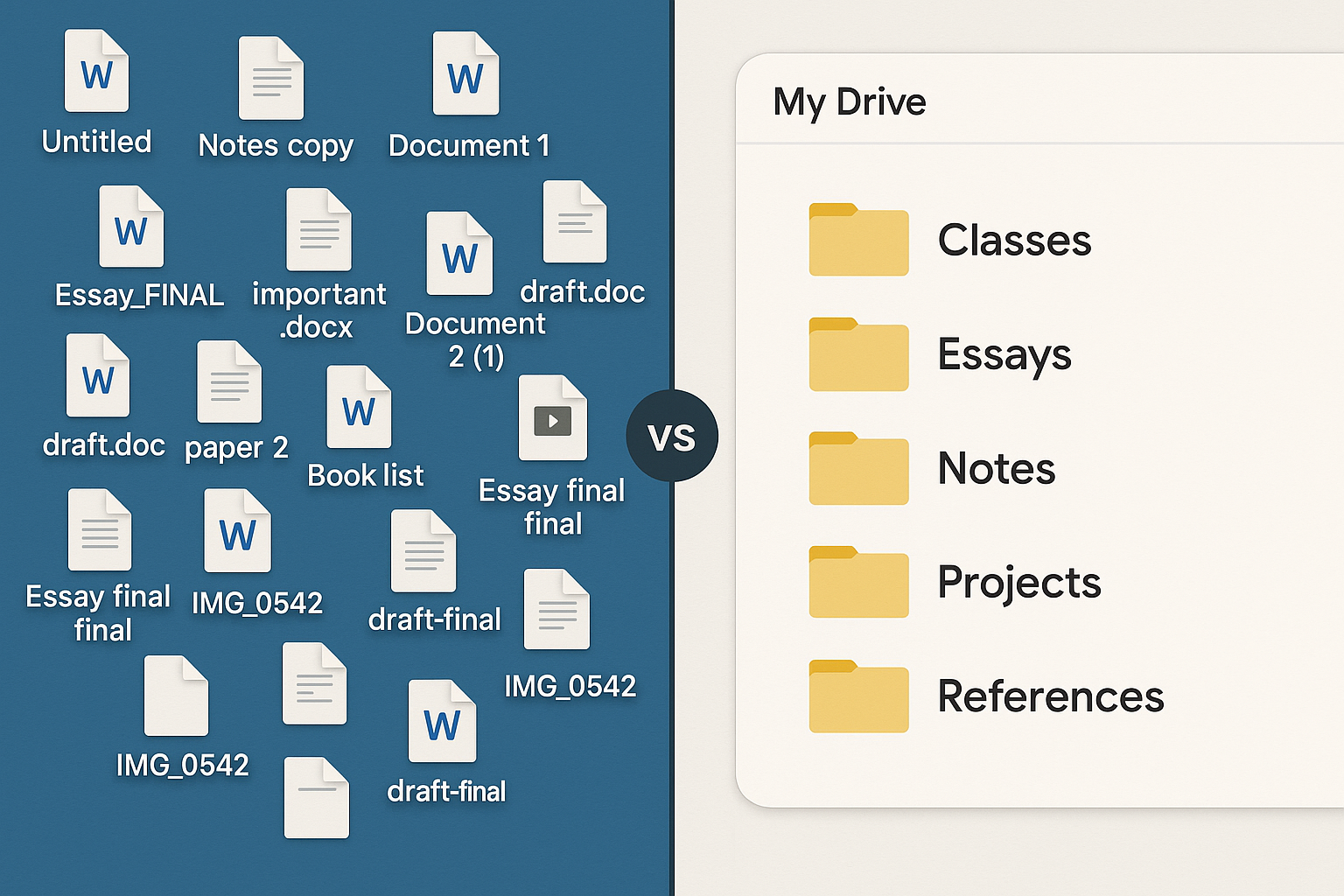
Google Drive dominates the student market for good reason: it’s free, integrates seamlessly with other Google tools, and provides enough storage for most undergraduate needs. The real magic happens when you develop consistent naming conventions and folder structures that make sense to your future self. “Essay final final FINAL version 3” isn’t going to help you six months from now.
Zoe’s breakthrough came when she realized her file chaos was causing more stress than any single assignment. She spent one afternoon creating a simple folder structure organized by semester and course, then committed to using consistent file names with dates. This boring, unglamorous organization became one of her most valuable productivity improvements.
Automatic syncing and backup features in top productivity tools eliminate the anxiety of losing important work. When your files automatically save to the cloud as you work, you never have to worry about computer crashes, forgotten USB drives, or that moment of panic when you realize your laptop died the night before a major paper is due.
Version control becomes crucial for longer projects like research papers or group assignments. Tools like Google Docs automatically save revision history, so you can see exactly what changed and when. This feature has saved countless students from accidentally deleting important sections or needing to recreate lost work.
Time Management and Focus: Advanced Top Productivity Tools for students Strategies
Time management apps can be game changers when used strategically, but they can also become elaborate procrastination if you’re not careful. The most effective time management tools are often the simplest ones that integrate seamlessly with your existing habits rather than requiring you to learn entirely new workflows.
Calendar apps are the foundation of effective time management, but most students underutilize them dramatically. Your calendar shouldn’t just track when you have classes; it should include study blocks, assignment deadlines, social activities, and even routine tasks like laundry or grocery shopping. When everything is visible in one place, you can make better decisions about how to spend your time.
RescueTime and similar tracking apps provide eye-opening insights into where your time actually goes versus where you think it goes. Most students are shocked to discover they spend three hours a day on their phones or that their “productive” study sessions include forty minutes of actual work and two hours of distraction. This data helps you make informed decisions about what needs to change.
Focus apps like Forest, Cold Turkey, or Freedom can be incredibly effective for students who struggle with digital distractions. These top productivity tools work by blocking access to distracting websites and apps during designated study periods. The key is being honest about your actual distraction patterns rather than trying to block everything and feeling restricted.
Zoe discovered that her biggest productivity killer wasn’t social media but news websites and YouTube videos that felt “educational” but weren’t actually related to her coursework. Once she started using focused blocking during study sessions, her concentration improved dramatically because she eliminated the rationalized distractions that were hardest to resist.
Collaboration and Communication: Essential Top Productivity Tools for Group Work
College isn’t a solo journey, and your productivity tools need to support collaboration with classmates, professors, and study groups. The pandemic accelerated the adoption of collaborative tools, and many of the innovations that emerged are genuinely helpful for student productivity even in normal circumstances.

Real-time collaboration Platforms: Google Workspace (Docs, Sheets, Slides), remain the gold standard for collaborative academic work because everyone knows how to use it and it handles simultaneous editing gracefully. Microsoft 365 offers similar functionality with some advantages for students already embedded in the Microsoft ecosystem, particularly if your school provides free access.
Slack and Discord have become popular for study groups and class communication because they organize conversations by topic and provide better search functionality than traditional group texts. These platforms also integrate with other productivity tools, allowing you to share files, set reminders, and coordinate schedules without switching between multiple apps.
Project Coordination Tools: For more complex group projects, tools like Trello, Asana, or Monday.com provide visual project management that helps teams track who’s responsible for what and when things are due. These top productivity tools become essential when you’re coordinating multiple people across different schedules and time zones.
The key to successful collaborative productivity is establishing clear agreements about which tools to use and how to use them. Nothing kills group productivity faster than having some members in Slack, others in GroupMe, files scattered across three different platforms, and no clear system for tracking progress.
Budget-Friendly Options and Free Alternatives
Let’s be real about student budgets: you’re probably eating ramen and splitting Netflix passwords, so expensive productivity software isn’t always realistic. The good news is that some of the most effective productivity tools for students are completely free or offer generous student discounts.
Free Tier Champions: Google’s suite of apps provides incredibly robust functionality at zero cost, including unlimited storage for educational accounts at many universities. Notion offers free accounts with enough features for most undergraduate needs. Todoist, Evernote, and many other premium tools offer free tiers that handle basic functionality perfectly well.
Microsoft Office is often free for students through university licenses, and the online versions provide most of the functionality of the desktop applications. Adobe Creative Suite, normally expensive, often comes free or heavily discounted through educational partnerships.
Open Source Alternatives: For students interested in free alternatives that aren’t tied to specific companies, open source options like LibreOffice, GIMP, and various Linux applications provide professional-level functionality without subscription costs. These tools require more technical comfort but offer complete control and customization.
Zoe saved hundreds of dollars by strategically using free versions of productivity tools instead of immediately jumping to premium subscriptions. She found that the limitations of free tiers actually helped her focus on essential features rather than getting distracted by advanced options she didn’t really need.
Avoiding Tool Overload: How to Choose the Right Top Productivity Tools
The biggest mistake students make with productivity tools isn’t choosing the wrong ones; it’s choosing too many. Every additional app or platform adds cognitive overhead, creates potential points of failure, and increases the time you spend managing systems instead of using them productively.
The Minimalist Approach: Start with basic tools that handle multiple functions rather than specialized apps for every tiny aspect of productivity. A simple calendar app, a note-taking system, a file storage solution, and a task manager can handle 90% of student productivity needs. Add complexity only when you’ve mastered the basics and identified specific limitations.
Integration Over Isolation: Choose tools that work well together rather than best-in-class solutions that don’t communicate. An ecosystem approach, whether Google, Microsoft, Apple, or another platform, often provides better overall productivity than mixing and matching the “best” individual tools that don’t sync or share data effectively.
The most successful students I know use surprisingly few productivity tools, but they use them consistently and have developed efficient workflows around their chosen systems. They spend their mental energy on learning and creating rather than constantly evaluating and switching between different productivity solutions.
Trial and Commitment Strategy: When you’re considering new productivity tools, commit to trying them for at least two weeks before making judgments. It takes time to develop new habits and workflows, and you won’t get accurate assessments from brief experiments. But also set limits: don’t try more than one new tool at a time, and don’t keep tools that aren’t providing clear value after a fair trial period.
Before you read further, you can bookmark my post, Time Management & Productivity. It ties in perfectly.
Mobile vs Desktop Productivity Solutions
Your productivity system needs to work seamlessly across all your devices because college life happens everywhere: in lecture halls, coffee shops, dorm rooms, libraries, and while walking between classes. The best top productivity tools provide consistent experiences whether you’re on your laptop, tablet, or phone.
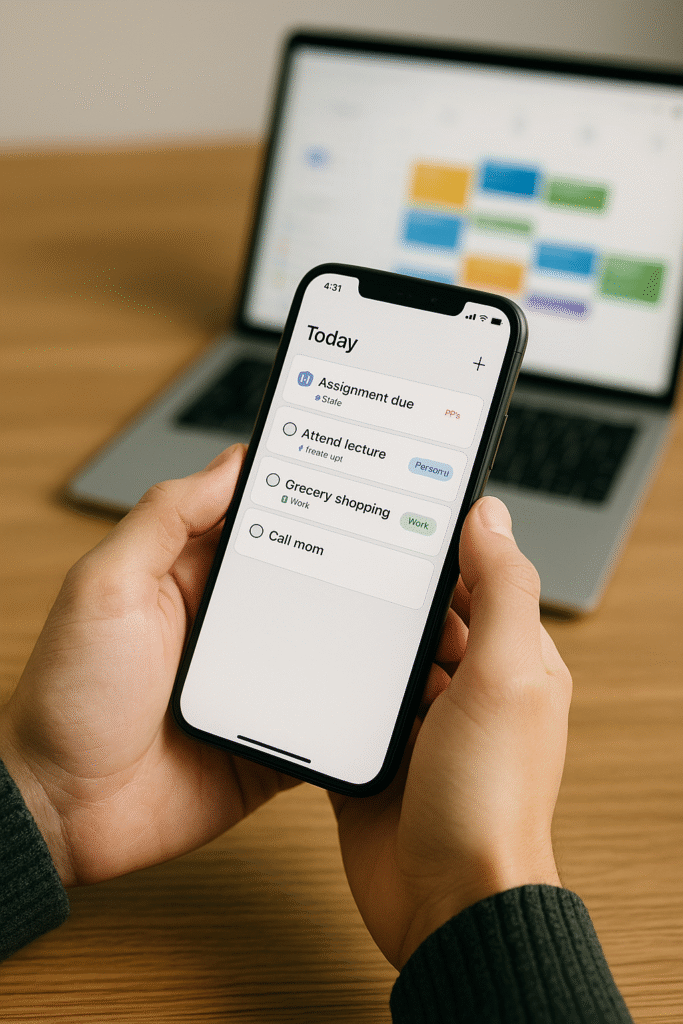
Mobile First Considerations: Some tasks work better on mobile devices than others. Quick note capture, task checking, and communication often feel more natural on phones. But longer writing, complex organization, and detailed planning usually work better on computers with full keyboards and larger screens.
Sync and Continuity: Cloud-based tools that sync instantly across devices eliminate the friction of switching between platforms. You should be able to start a task on your phone, continue on your laptop, and finish on a library computer without thinking about file transfers or version conflicts.
Zoe learned this lesson when she chose a note-taking app that worked beautifully on her laptop but was clunky on her phone. Since she often captured ideas and reminders while walking between classes, the poor mobile experience meant she stopped using the tool consistently, which defeated the whole purpose.
Offline Functionality: Internet connectivity isn’t always reliable on college campuses, and you don’t want your productivity to depend entirely on having strong wifi. Look for tools that can function offline and sync changes when connectivity returns. This redundancy ensures you can stay productive regardless of technical circumstances.
Measuring Success and ROI of Your Productivity Tools
How do you know if your productivity tools are actually helping or just creating the illusion of organization? The best way to evaluate effectiveness is through outcomes, not features. Are you missing fewer deadlines? Feeling less stressed about keeping track of everything? Spending less time on administrative tasks and more time on actual learning?
Productivity Metrics That Matter: Track practical outcomes like assignment completion rates, time from starting to finishing tasks, and subjective stress levels around organization and planning. If your fancy productivity system isn’t improving these real-world measures, it might be time to simplify or try a different approach.
Time Investment Analysis: Calculate how much time you spend setting up, maintaining, and using your productivity tools versus how much time they save you. If you’re spending more time managing your system than it saves you in efficiency gains, something needs to change. The best productivity tools feel almost invisible because they enhance your natural workflows rather than requiring constant attention.
Stress and Satisfaction Indicators: Pay attention to your emotional relationship with your productivity tools. Do they make you feel more in control and confident, or do they create anxiety about maintaining complex systems? The psychological impact of your organizational tools is just as important as their functional effectiveness.
Zoe realized her productivity tools were working when she stopped thinking about them constantly. Instead of spending mental energy on which app to use for what purpose, she could focus on her actual work because her systems had become automatic and reliable.
Building Long-Term Productivity Habits
The most effective top productivity tools become invisible infrastructure that supports your goals without requiring constant conscious management. This transition from active tool use to automatic habit happens when you’ve found systems that truly match your natural working style and consistently provide value.
Habit Formation with Digital Tools: Use your productivity tools to build better habits rather than just manage existing chaos. Set up recurring reminders for important routines, use habit tracking features to monitor progress on long term goals, and leverage automation to reduce decision fatigue around routine tasks.
Evolution and Adaptatio:n Your productivity needs will change as you progress through college and beyond. The tools that work perfectly as a freshman might need adjustment as an upperclassman with different responsibilities and more complex projects. Good productivity systems evolve with you rather than becoming rigid constraints.
Skills Transfe:r The organizational and planning skills you develop through effective use of productivity tools will serve you long after graduation. Learning to manage complex projects, coordinate with teams, and maintain consistent workflows are valuable professional capability regardless of your career path.
The students who get the most value from productivity tools understand that the real goal isn’t having the perfect system; it’s developing the self-awareness and organizational skills to consistently work toward your goals. The tools are just enablers for deeper capabilities around planning, prioritizing, and following through on commitments.
Your college years are an ideal time to experiment with different productivity approaches because the stakes are relatively low and you have access to many tools through educational discounts. Use this opportunity to figure out what works for your unique combination of personality, learning style, and life circumstances.
The most successful approach is to start simple, focus on consistency over perfection, and gradually add complexity only when you’ve mastered the basics. The top productivity tools for students aren’t necessarily the ones with the most features; they’re the ones that reliably support your academic success while fitting seamlessly into your actual life.
Remember, productivity tools are means to an end, not ends in themselves. The goal is to spend less mental energy on organization and administration so you can focus more on learning, creating, and enjoying your college experience. The best system is the one that helps you achieve your goals while maintaining your sanity and relationships.
Building effective productivity habits takes time and experimentation, but the investment pays dividends throughout your academic career and beyond. The organizational skills, planning capabilities, and self-discipline you develop now will serve you in whatever path you choose after graduation.
So here’s my challenge for you: pick one area where you feel consistently disorganized or overwhelmed, research 2-3 tools that might help, try one for two full weeks, and honestly evaluate whether it’s making your life better or just more complicated. What’s the first productivity challenge you want to tackle with the right tools?


